

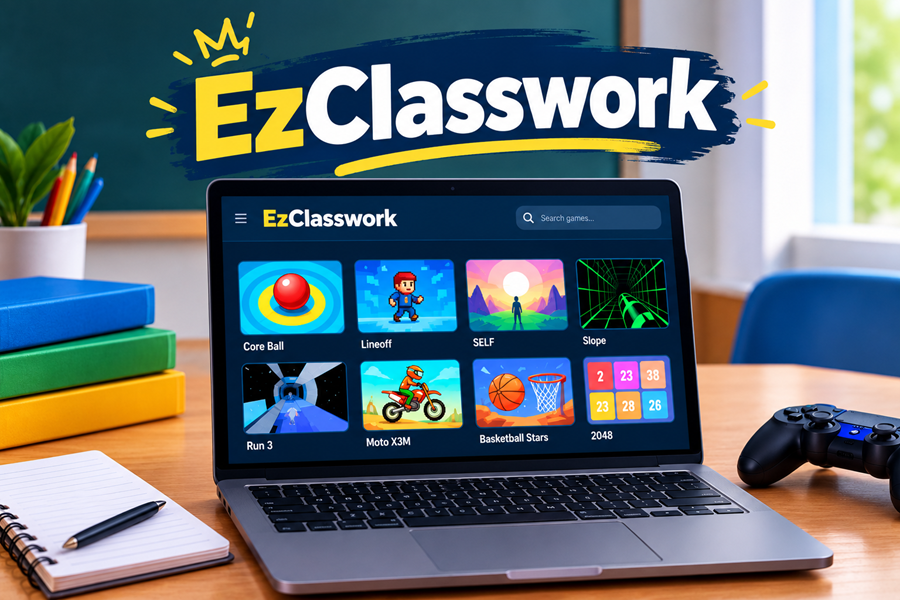
What Is EzClasswork, Really?
At its core, EzClasswork works as a browser-based unblocked games site. Nothing fancy here. It hosts a collection of small, quick-loading games. You play them right in your browser. You don’t need downloads or admin permissions — the stuff that usually gets shut down hard on school and office networks.
The site markets itself around speed and reliability first. That makes sense given who actually uses it. According to its own description, the team picks every game specifically because it runs fine across a wide range of devices. That includes newer laptops, sure, but also the beat-up, ancient machines you’d find bolted to a desk in a school computer lab. This focus on hardware compatibility sounds simple, but it’s a smart design choice. A lot of the target audience genuinely isn’t working with great equipment.
Why “Unblocked Games” Even Exist as a Category
Maybe you’ve never really thought about why sites like this exist. Here’s the short version. Schools and offices run content filters. These filters block a massive chunk of the internet — social media, streaming, and basically all gaming sites. The goal, at least on paper, involves keeping people focused instead of distracted during work or class hours.
Unblocked games sites get around this in a simple way. They host lightweight, browser-based games on domains that haven’t been flagged yet by whatever filtering system is running. These games don’t need downloads or plugins. So they tend to slip past standard restrictions, at least for a while. Eventually the IT department notices and blocks that specific site too.
EzClasswork fits right into this pattern. It’s not doing anything technically sneaky or clever. It just hosts games in a format that’s easy to reach from restricted networks. That’s exactly the appeal for its audience of students and bored office workers trying to squeeze in a quick game during downtime.
What Kind of Games Does EzClasswork Offer?
Here’s something that stood out to me looking through it. The site packs a decent amount of variety into what looks like a pretty basic homepage. Instead of leaning into one genre, the library spreads across a few different types. That makes sense if you’re trying to appeal to a bunch of different people who each only have five minutes to spare.
Arcade and Skill-Based Titles
A big chunk of the catalog leans arcade-style. Take Core Ball as an example. The mechanics start dead simple — you throw a ball into a target zone. But the difficulty ramps up hard across hundreds of levels as the target gets tighter and tighter. You can learn this game in ten seconds. Mastering it takes a lot longer. That’s exactly the loop that keeps people hitting “play again” on a short break.
Reflex and Timing Games
The site also offers a chunk of games built around quick reflexes. Take Lineoff as an example. You steer a small pixel character through a fast-moving arena. You dodge obstacles and grab collectibles while the speed keeps creeping up. Games like this suit short attention spans in the best possible way. You can jump into them easily, enjoy them in small doses, and hop right back in after you inevitably mess up.
Something a Bit Slower
Not everything here means pure chaos and reflexes, though. The catalog also includes SELF, which offers more of a short narrative journey than a score-chasing game. It’s a nice change of pace, honestly, if you want something with a bit more mood and atmosphere instead of just raw button-mashing.
Put together, the catalog seems built to cover a spread of moods. You might want five minutes of dumb fun, a genuinely tough skill challenge, or something a little more immersive, depending on the day.
How Does EzClasswork Actually Work?
Using the site works about as simply as it gets. That’s really the whole point of a site like this. You land on the homepage. You scroll through the titles, usually shown with a thumbnail and a short blurb. You click on whatever catches your eye, and it loads right there in your browser. Most games need no installs and no account. Nothing stands between you and playing.
This zero-friction access explains a big reason sites like this stay popular, even though schools block and re-block them constantly. No gap exists between deciding you want to play something and actually doing it. That matters a lot more than people think when you’re working with maybe four minutes before a bell rings.
Is EzClasswork Actually Safe?
This question matters most, honestly, and it deserves a real answer. I don’t think it deserves a lazy “yeah it’s fine” or a paranoid “never touch it” either. Unblocked games sites vary a lot as a category. How well they’re run and how much you can trust them differs from site to site.
Stuff Worth Watching For
Keep a couple of practical things in the back of your mind. Pop-up ads and pretty aggressive advertising tend to show up a lot on sites like this. Ad revenue usually drives the whole business model when nothing costs money upfront. Be careful clicking anything that isn’t clearly part of the actual game screen. Ad placements sometimes get designed to look almost exactly like a real game button.
Be honest with yourself here too. Using something like this on a school or work device technically breaks a policy someone put in place. Maybe that policy just says “please stay focused.” Depending on where you are, getting caught could mean a mild eye-roll from a teacher. It could also mean something more serious. Know your specific school or workplace’s rules before you assume this carries zero risk.
A Few Basic Precautions
Follow a few simple habits if you decide to use something like EzClasswork. Don’t type in any personal information — a small browser game basically never needs it legitimately. Watch out for weird pop-ups or redirect attempts. Back out of anything that doesn’t look like it’s actually part of the game you clicked. If you use a shared or monitored device, stay realistic. Your activity probably gets logged somewhere, regardless of whether the site itself is technically blocked.
Why Do These Sites Stay So Popular?
People easily write off unblocked games sites as some outdated, niche corner of the internet. But demand for them hasn’t really dropped off in years. A lot of that comes down to how universal the situation feels. People get stuck with restricted devices during downtime. They want something to do that doesn’t require installing anything or asking permission from anyone.
These games also work because of how low-effort they are by design. Nobody tries to start a twenty-hour campaign during a ten-minute break. Short, replayable, easy-to-drop-at-any-second gameplay actually works here. That’s basically the entire formula most of these libraries build around. Based on what’s described of EzClasswork’s catalog, the site seems to lean into that pretty deliberately. It doesn’t try to become some bigger, more ambitious platform.
How Does EzClasswork Compare to Other Similar Sites?
Plenty of sites chase this exact same audience. So it’s fair to wonder what actually sets EzClasswork apart from a dozen other similar-sounding options. Based on what’s publicly said about it, the site puts real weight on load speed and device compatibility. That matters more than people give it credit for, honestly. Nothing kills a quick-play game faster than watching it chug along on some ancient school laptop.
Past that, the real differentiator usually comes down to catalog variety and update frequency. Sites in this category tend to rise and fall based on whether they keep things fresh. The whole appeal wears thin fast if you’re staring at the exact same ten games every single visit.
Things Worth Checking First
Pay attention to a few practical things if you’re deciding between EzClasswork and other similar sites. Check how often new titles actually show up. Check whether it loads fast and reliably without constant buffering. Notice how obnoxious the ads get. See whether the site has actually stayed up over time, or whether it keeps vanishing and reappearing under a slightly different name. Fair warning — that pattern shows up a lot across this entire corner of the internet.
Tips for Getting More Out of EzClasswork
A few small habits make things noticeably smoother if you plan on using a site like this regularly. Bookmark it instead of relying on search results every single time. These sites can get temporarily inaccessible on certain networks. A direct link saves a lot of time when it does load. If a specific game keeps lagging or freezing up, your browser cache often causes the issue more than the game itself. Clearing that out every so often fixes more loading problems than you’d expect.
Keep a couple of backup games in mind too, instead of fixating on just one title. Network filters change without warning. Sites shuffle their libraries around sometimes. Going in with two or three favorites instead of just one means you’ll feel a lot less disappointed if something goes temporarily missing.
Keeping Time in Check
You can easily lose track of time on a site built entirely around quick, replayable games. The whole design basically encourages “okay, one more round” thinking. Set a mental timer, or even a literal one on your phone, if you use EzClasswork during an actual break. This habit stops things from eating into time you needed for something else. I know this sounds like obvious advice. But it’s genuinely one of the more common ways a quick five-minute session turns into forty-five minutes without anyone really noticing.
Who Actually Ends Up Using EzClasswork?
The audience here isn’t just bored students, even though that’s the obvious assumption. Office workers look for a quick mental reset. Some people just mess around testing browser performance or network restrictions out of curiosity. Even casual gamers who prefer lightweight, no-commitment games over bigger downloadable titles end up in roughly the same corner of the internet.
This mixed audience probably explains why sites like EzClasswork keep their game selection pretty varied. They don’t narrow in on one specific type of player. A student wants to kill five minutes. An office worker wants the exact same thing. So the catalog needs enough range to cover both, without feeling like it’s built for just one crowd.
Younger players seem to gravitate more toward the arcade and reflex-heavy titles, since those give instant feedback and don’t need much patience to enjoy. Older users, or honestly anyone who just wants something calmer during a break, tend to lean toward the narrative or puzzle-style options instead. Nothing about EzClasswork makes this split unique. But it does explain why the site bothers keeping such a mixed catalog. It doesn’t just double down on whatever genre happens to be trendiest right now.
The Bigger Picture Around Sites Like This
Let’s zoom out a bit. Sites like EzClasswork exist in an ongoing back-and-forth with school and workplace IT departments. This dynamic has been going on for well over a decade now. A site gets popular enough to get noticed. Someone flags it. It gets blocked. Then either a mirror pops up under a slightly different domain, or a whole new site steps in to fill the gap. Round and round it goes, with no real sign of slowing down.
Keep a bit of perspective here too, though. These sites amount to a pretty minor form of digital rule-bending at the end of the day. They offer a way to squeeze a little entertainment out of restricted downtime, rather than anything more serious. Whether that counts as harmless fun or a mild productivity problem really depends on how and when someone actually uses it. That responsibility falls on the user more than on the site itself.
Final Thoughts on EzClasswork
EzClasswork fits into a well-established category of browser-based unblocked games sites. The site builds around fast load times, wide device compatibility, and a catalog spanning arcade games, reflex challenges, and some lighter narrative stuff too. It’s not reinventing anything here, but honestly, it doesn’t need to. The whole appeal of sites like this has always centered on simplicity and easy access, not groundbreaking design.
Go in with reasonable expectations and a bit of common sense if you end up checking it out. Skip entering any personal info. Keep an eye out for sketchy pop-ups. Stay realistic about your school or workplace’s actual rules before you treat it as some completely risk-free way to kill time. Used sensibly, it delivers exactly what it says it does — a quick, low-effort way to pass a few minutes between classes or tasks.
Frequently Asked Questions About EzClasswork
What is EzClasswork? EzClasswork works as a browser-based unblocked games site. It offers a curated set of small, fast-loading games that don’t need any downloads or installations.
Is EzClasswork safe to use? It works pretty similarly to other sites in this space. It’s generally usable, but approach it with basic caution around ads, pop-ups, and never enter personal information.
Can EzClasswork get you in trouble at school? Possibly, depending on your specific school’s policies around network use and content filtering. Learn the actual rules before you rely on it regularly.
Do you need to download anything to use EzClasswork? Nope. The games run directly in a browser, and you won’t need any downloads or installs.
Does EzClasswork cost anything? Most sites in this category stay free to use. Ads usually cover the cost of running the site instead of a subscription fee.